After-action review · included on every plan

MARS

Mission Afteraction Review System. When the day is over, MARS rebuilds it from the record your EOTAK Server already kept: every callsign’s track, every shot and handoff, on a timeline you can scrub.

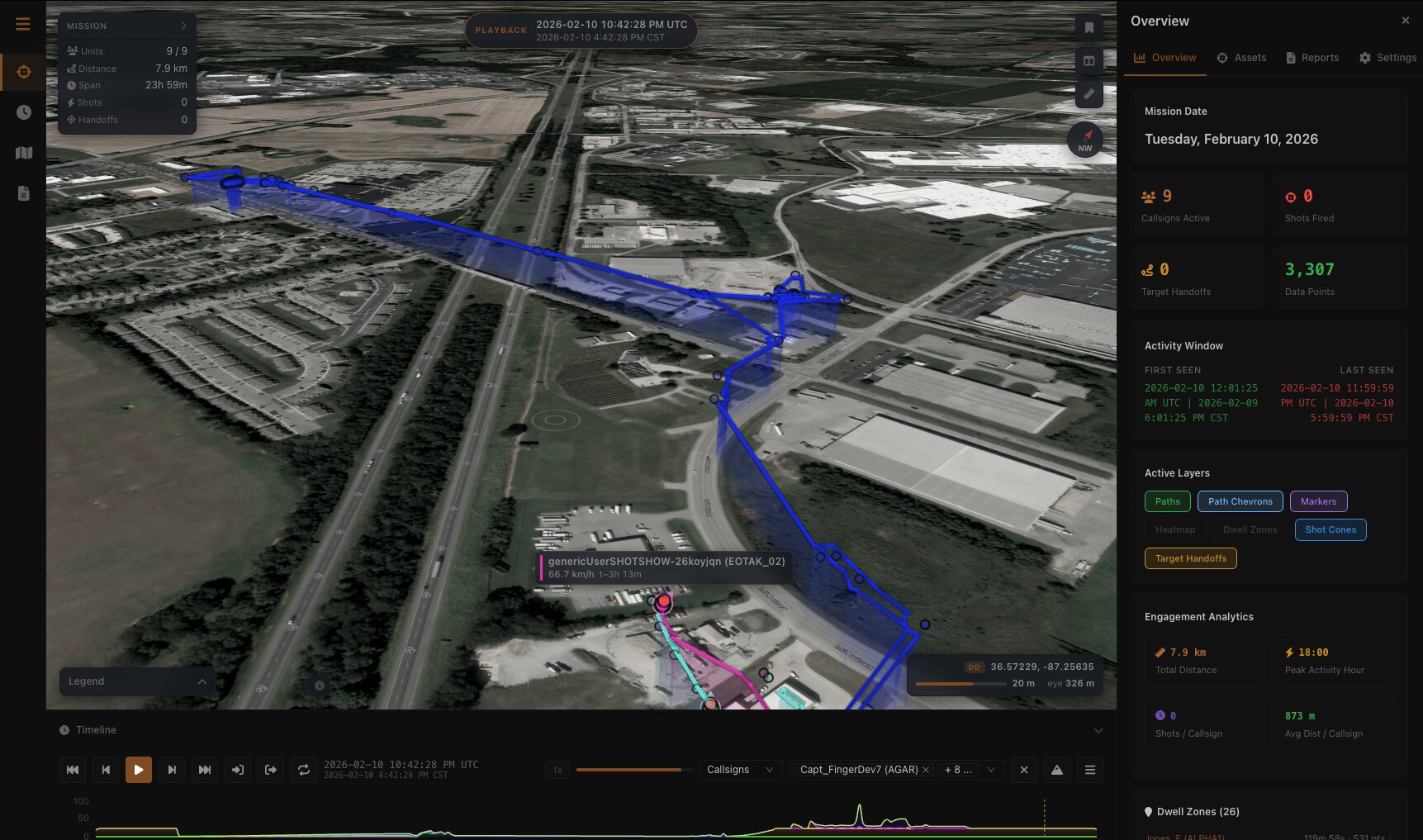
MARS · After-action review 10 Feb 2026 · 9 of 9 reporting
MARS after-action review: satellite imagery with mission track ribbons and altitude curtains, a mission summary panel, a timeline transport and an analytics panel
PLAYBACK 1× · 5× · 10× · 20× · 30× · WINDOW 23H 59M · TRACK 7.9 KM · 3,307 POINTS · 26 DWELL ZONES
Playback
1× to 30×
Basemaps
14, no account
Exports
PDF · CSV · KML · GPX
Included with
Every plan
The record

You already
have the data.

Your server has been writing it down all day. MARS turns that into something a room can watch together. It draws what the server was sent, and shows a gap wherever the reporting stopped rather than guessing.

Every position

Each fix from each callsign, drawn as a track you can follow, pick apart and fly along.

Dwell and movement

Where people stopped and for how long, kept separate from where they were moving.

Shots and handoffs

Shot events marked and turned to the reported heading. Target handoffs arc between the callsigns that passed them.

01

Orbit to doorway

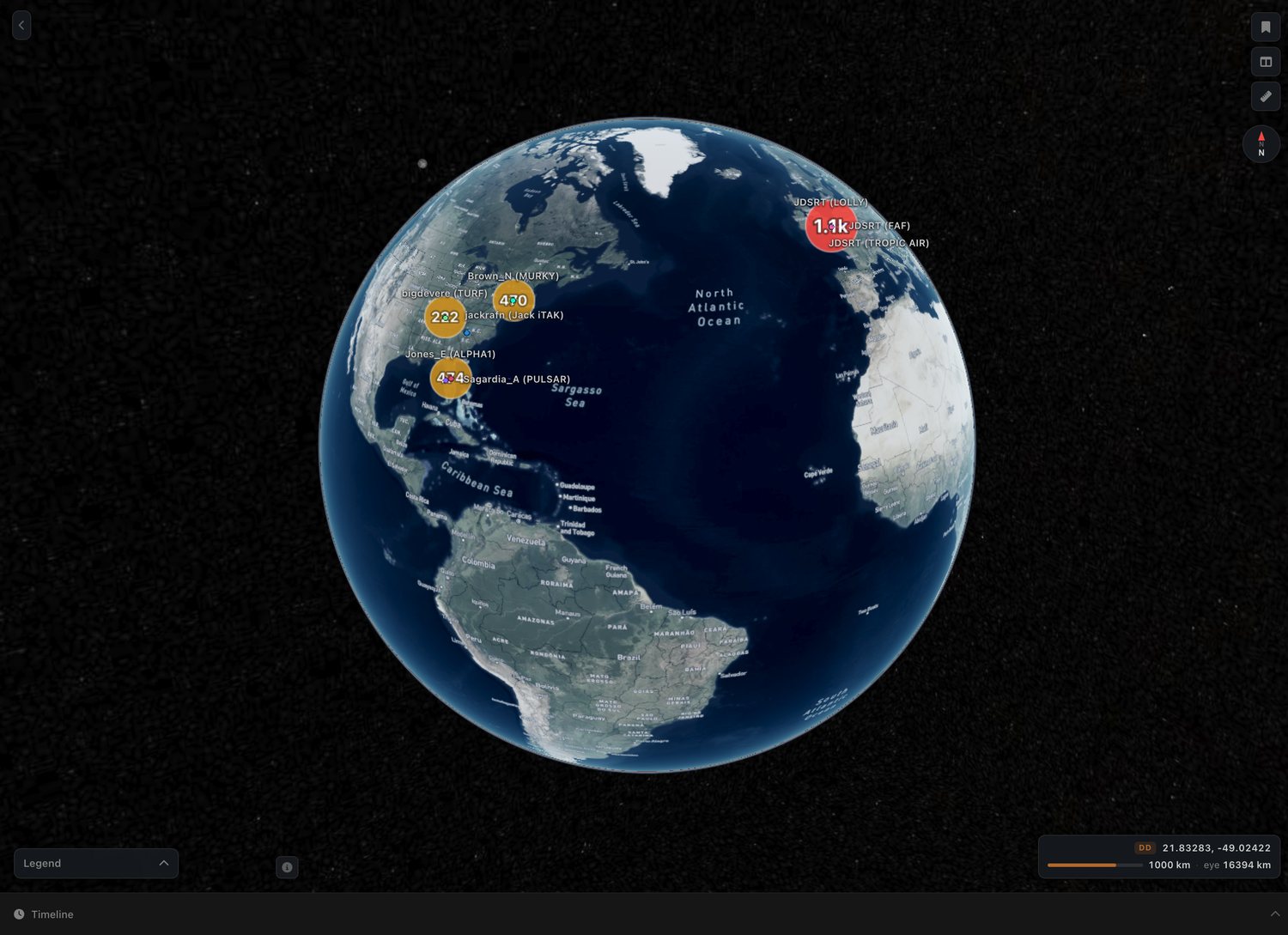
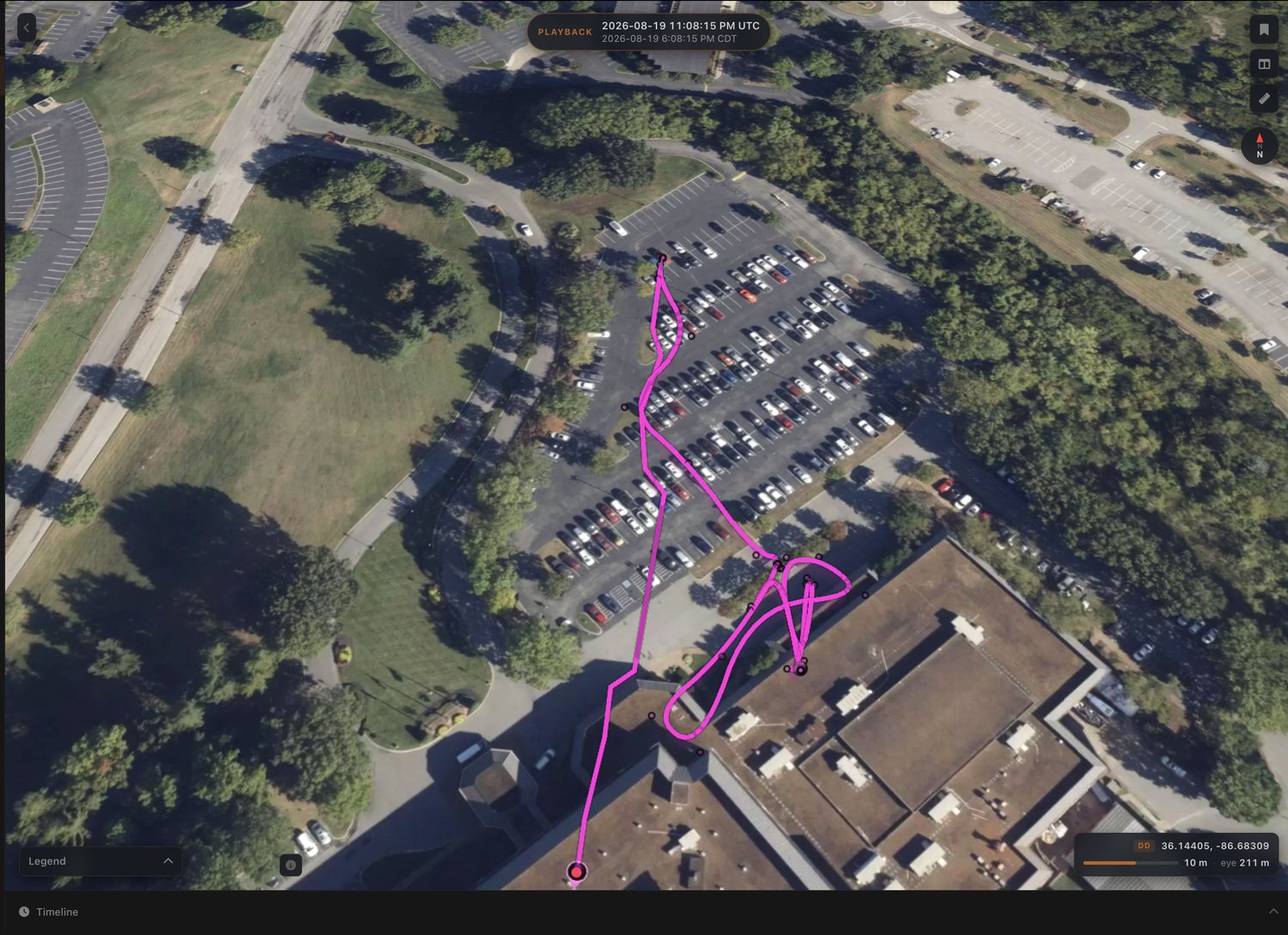
The same review holds together at every distance. Pull all the way out and callsigns gather into counts; drop all the way in and you are watching one person walk a car park.

Global view 4 Aug 2026
MARS at global zoom: the whole Earth with callsigns gathered into numbered clusters over the Atlantic and the Caribbean
EYE 16,394 KM · 8 CALLSIGNS · 2,292 POINTS · 69 DWELL ZONES
One callsign 19 Aug 2026
MARS zoomed to 211 metres: one callsign’s track threading a car park and doubling back at a building entrance
EYE 211 M · 1 CALLSIGN · 113 POINTS · 7 DWELL ZONES · 1.4 KM WALKED
Eye altitude 16,394 km 211 m Same review · same timeline
02

Working the timeline

Five things it was built to do, and nothing it was not.

Scrub and speedDrag the transport, or run at 1×, 5×, 10×, 20× or 30×. Space plays and pauses, the arrows step, Home and End jump to the ends of the day.
A lane eachEvery callsign gets its own lane, split wherever it went quiet for longer than the gap you set, so a hole in the record reads as a hole and not as a straight line.
Loop a stretchMark the start and the end of the part you care about and MARS plays that stretch on repeat, so you can watch the same two minutes as many times as it takes.
Follow one operatorHand the camera to a callsign and it travels with them for the length of the replay.
Narrow the windowBrush a range on the timeline and the globe shows only what happened inside it. Mute a lane to take it off the chart without taking it off the map.
03

What you take out

A review is worth something once it leaves the screen.

Incident reportA PDF carrying the map, the mission summary, the callsign table and the shot table, dated to the day it covers.
Tracks in your own toolsKML with real altitude, GPX, and CSV of whichever table is in front of you.
Measure itDistance and bearing between two points, in meters, kilometers, feet, yards, miles or nautical miles.
Read the gridClick the coordinate readout to cycle decimal degrees, degrees-minutes-seconds and MGRS. Double-click copies it.
MARS

It comes with
the server.

MARS is included with every EOTAK Server, at every seat count. There is no separate license and no addon to buy.

CLARKSVILLE, TN · +1 (931) 266-0888